¶ Extracting Data from a Study
With the form built, reviewers fill it in for each included study. Each
extraction is one reviewer's data for one citation, and it moves through a simple review workflow.
Who can do this: Leaders, Consolidators, and Contributors can create and edit extractions.
¶ Open an Extraction
There are two ways to open an extraction assigned to you.
- From the project's Extractions ▸ dropdown, choose Data Extractions to see the list, then open one to Work on it. (Citations only become available for extraction once they've cleared screening.)
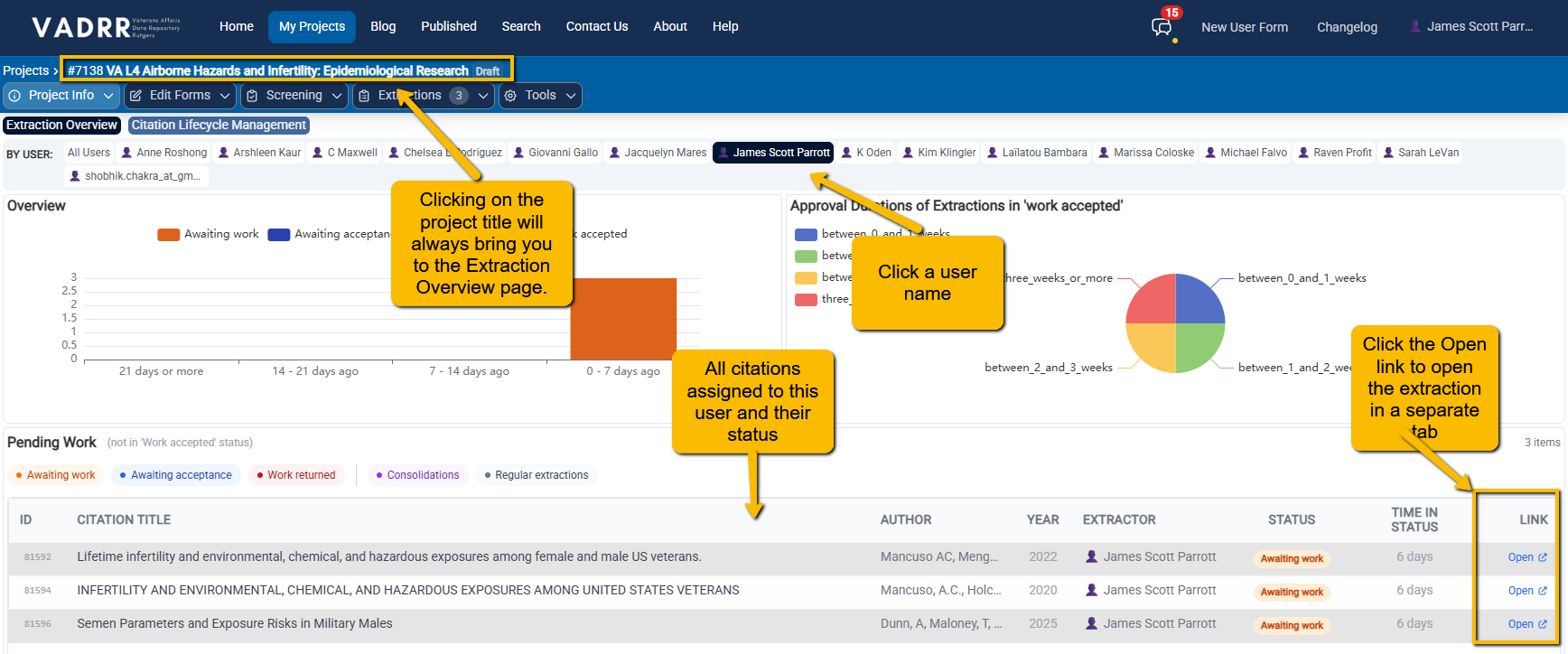
- Clicking on the project name in the upper navigation bar will take you to the Exraction Overview page. You can then click on your name at the top. The Pending work table at the bottom will list all extractions currently assigned to you and their status.
¶ Fill in the Form
- Work through the section tabs. Type 2 questions are answered inline; for Type 1 sections you add an item per arm/outcome and fill its grid.
- Use Select Key Question(s) to tag which key questions this extraction addresses.
- Your entries save automatically as you type or choose (there's no separate save button for
fields).
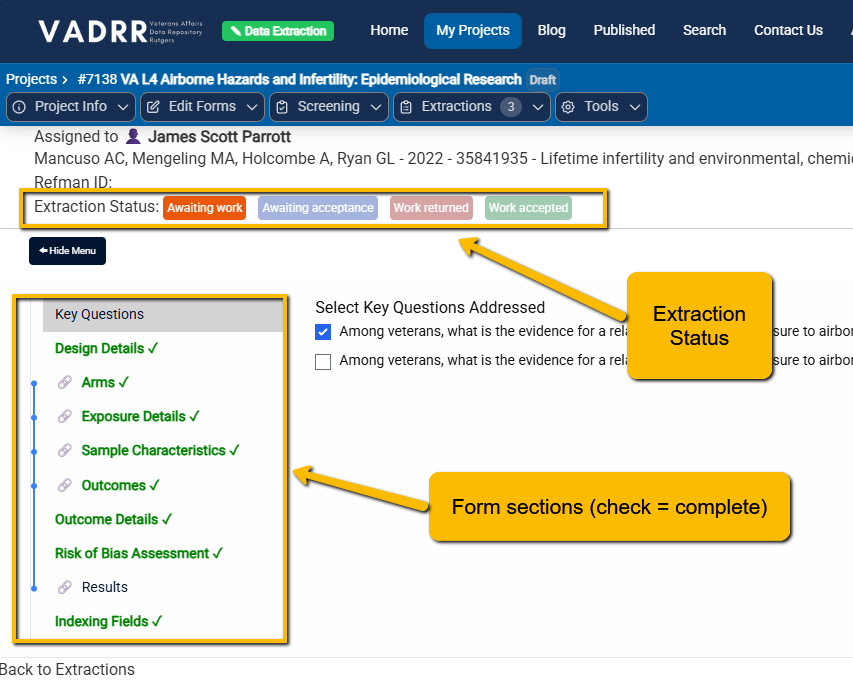
The work screen: assignment and status at the top, the form's section tabs below.
The header shows Assigned to (the extractor), the citation and its Refman ID, and the
extraction status controls.
¶ The Status Workflow
The Extraction Status buttons track progress:
| Status | Color | Meaning |
|---|---|---|
| awaiting_work | orange | being worked on / not yet submitted |
| awaiting_acceptance | blue | submitted, waiting for a reviewer |
| work_returned | red | a reviewer sent it back for changes |
| work_accepted | green | a reviewer approved it |
- When you've completed every section, VADRR asks "Would you like to submit this extraction for
review?" — accepting moves it to awaiting_acceptance. - A reviewer (someone able to review) can then set work_accepted to approve, or work_returned to send it back. On returning, VADRR prompts "Please enter a rejection reason if any. (Can be left blank)."
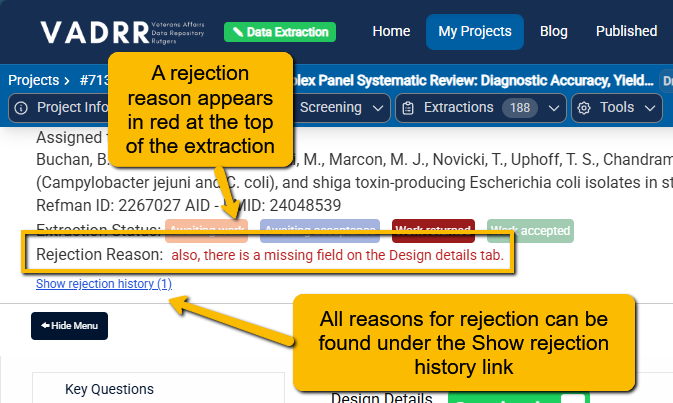
- A returned extraction shows "Rejection Reason: …" in red so the extractor knows what to fix.
An example of a rejection reason provided to a user:
¶ Deleting Type 1 Items (Arms or Outcomes)
Removing a Type 1 item that already has data (or is used in comparisons) requires typing CONFIRM, since it causes data loss.
¶ Next Steps
- When two or more reviewers have extracted the same study, reconcile them with the
Comparison Tool and consolidation. - Speed things up with LLM-assisted extraction.