¶ Comparing and Consolidating Extractions
What does it mean to "conosolidate" extractions?
If your team is carrying out multiple extractions per citations (typically two independent data extraction records), you will need to create a third record (the "consolidated" record or what you might think of as "the record of record") that builds on the extraction records produced by the data extractors.
Note: It is very important to note that your goal is NOT to completely harmonize the extraction records of the data extractors (you want to minimize effort changing the original extractions). Rather, you are building a new record from the data entered by two extractors. In other words, the extraction records produced by your team's data extractors (with reference to the original study) serve as "raw material" for the consolidated record (which will be your final "official" extraction.
Who can do this: Members with Leader and Consolidator status.
In this tutorial, we will first provide an overview of the Comparison Tool and then guide you through the steps to effectively create the consolidated record.
¶ Comparison Tool Overview
To get into the Comparison tool, click on the Extractions pulldown in the top navigation bar and select Comparison Tool.
¶ Legacy vs. New Tool
There are currently two different comparison tools in VADRR:
- The Legacy Comparison Tool: this tool was inherited from AHRQ's SRDRplus.
- The New Comparison Tool: This tool builds on and adds a number of enhancements to the legacy tool.
Because we plan to decommission the legacy tool, we strongly recommend that you use the New Comparison Tool for consolidations. Thus, in this tutorial, we will only provide instructions for using the New Comparison Tool.
How do I know which tool I'm using?
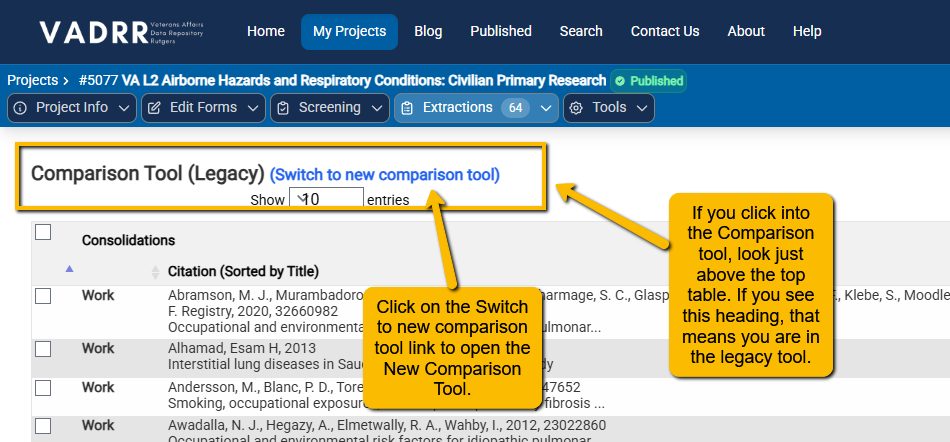
When you click into the Comparison tool for the first time, look at the header just above the top table. If you see Comparison Tool (Legacy) at the top, that means you are in the old tool. You will want to switch to the new tool for consolidation.
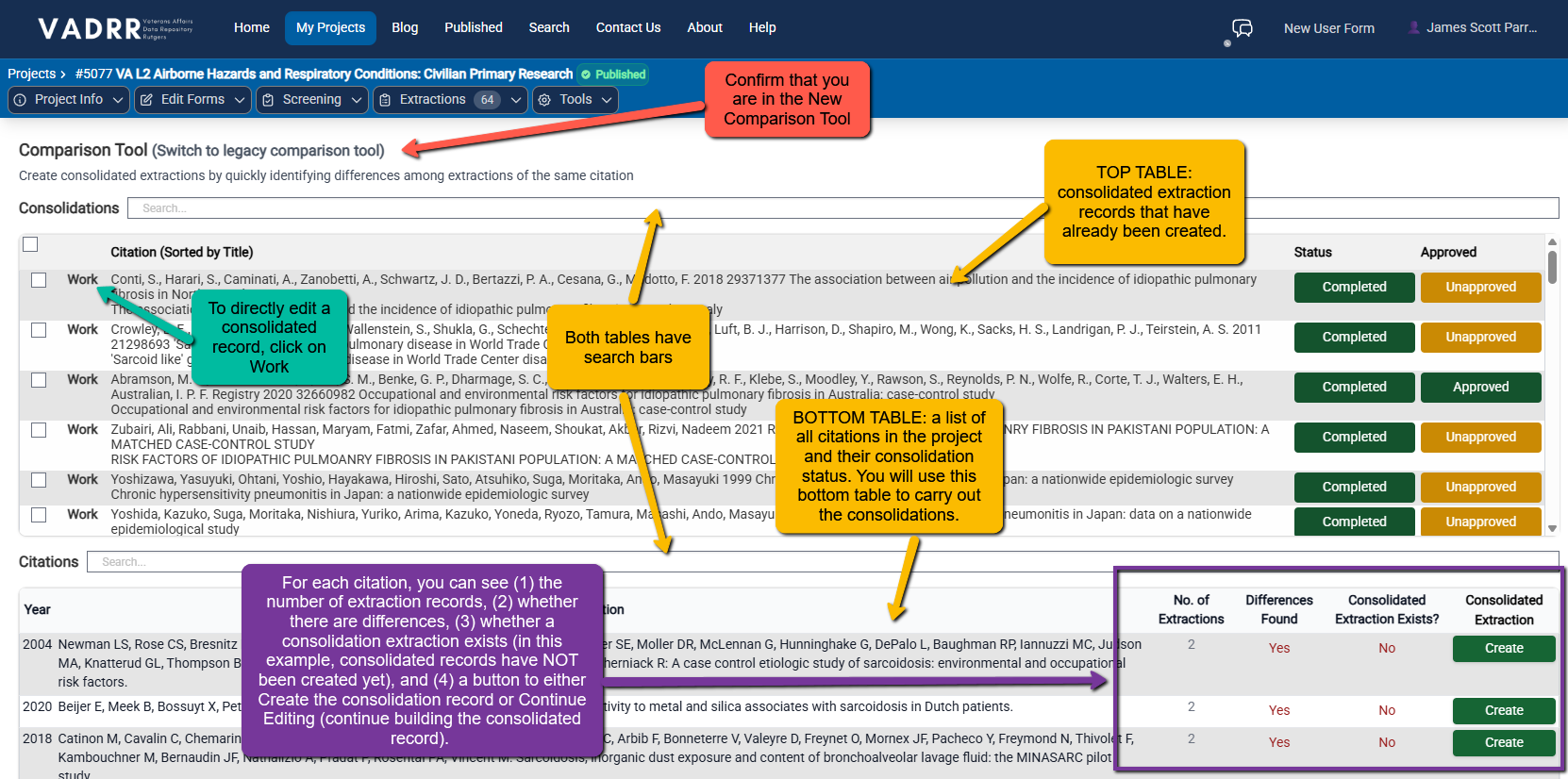
The New Comparison Tool will look like the following:
¶ How it Works
When two (or more) extraction records exist (extractions have been "Approved"), you will see the citation in the bottom table.
Note: The table columns are sortable. So, if you want to pull records that need to be consolidated (i.e., a consolidation extraction does not exist), simply click on the header of the Consolidated Extraction Exists? column, and the table will resort.
To create a new Consolidated Extraction, simply click on the Create button. When you do this, the system will scan all existing extraction records for that citation and do a field by field comparison. (Note: this may take several seconds depending on the size of the extration template and the number of extraction records.)
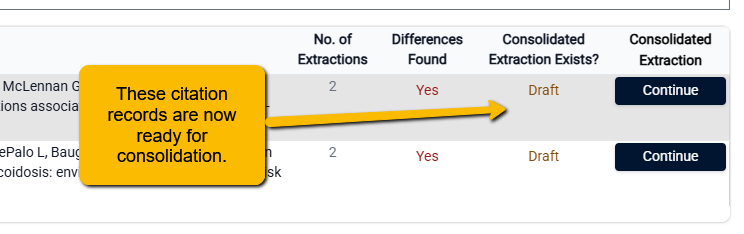
When the system comparison is complete, the Consolidated Extraction Exists? column for that record will change to Draft and the you will see a Continue button in the Consolidated Extraction column.
¶ Next Step
Use Create / Continue (or, in the legacy tool, Consolidate Extractions / Resume) to
open the consolidation screen and produce the single agreed record — see
Consolidating extractions.