¶ Import Citations from a RIS File
RIS is the most widely supported citation format. If you manage references in Zotero,
Mendeley, EndNote, or RefWorks, exporting to RIS is usually the easiest way to get them into VADRR.
Who can do this: Leaders and Contributors. Maximum file size 10 MB (~6,000–8,000 records).
¶ 1. Export a RIS File from Your Reference Manager
- Zotero: select items → right-click → Export Items… → Format RIS.
- Mendeley: select references → File ▸ Export… → RIS.
- EndNote: File ▸ Export → Output style RefMan (RIS) Export and save with .RIS.
- RefWorks / databases: choose the RIS download option.
The file will have a .ris extension.
¶ 2. Upload It to VADRR
- Open your project ▸ Project Info ▸ Citations (the Citation Pool page).
- In Upload Citation File(s), drag the
.risfile onto the dropzone (or click to browse). - In the "File Type Detected" dialog (it should read "This looks like a RIS File…"), click
Continue. VADRR uploads the file and opens the preview automatically.
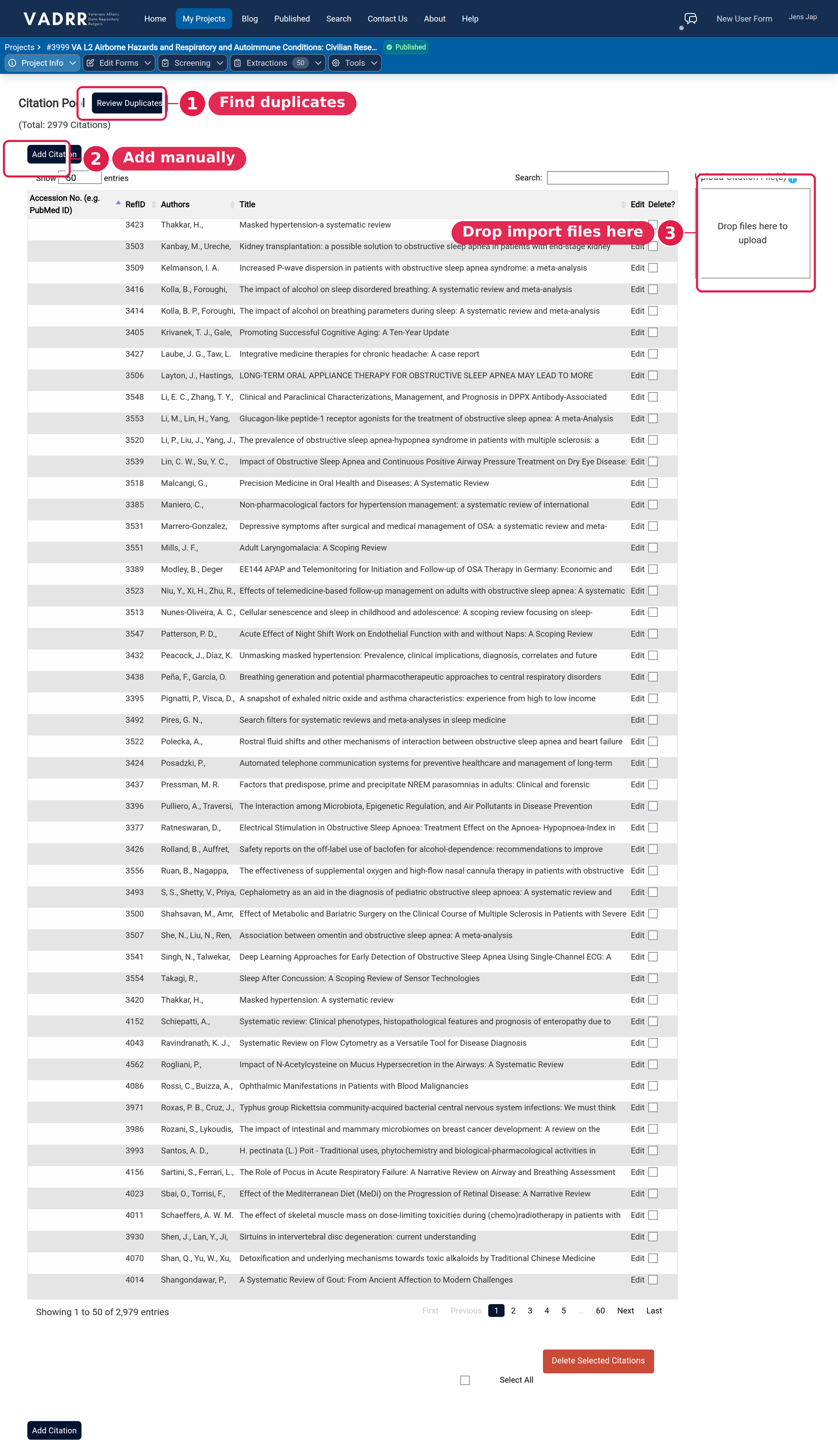
Drop your RIS file on the dropzone and confirm the detected type.
¶ 3. Preview & Start the Import
- Check the preview records and review any errors.
- Click Start Import. You'll be emailed when it finishes, and the citations will appear in
the project.
¶ Tips
- Not sure your file is valid RIS? Download the sample RIS from the format guide (the ⓘ icon) and
compare. - Importing from several databases? Import each file, then
remove duplicates.